🔔
Stay Updated with File112!
Get notified about new software, updates & articles — completely free.

Google Play Store v52.9 Changes How You Find Apps Forever
Google Play Store v52.9 Changes How You Find Apps Forever

Google Play Store v52.9 Changes How You Find Apps Forever

Google pushed Play Store v52.9 on August 24 2026 and most people had no idea. No announcement. No pop-up. It just arrived and quietly changed how you find and install apps on your Android phone. This update is not about bug fixes. It is about Google rethinking the entire app discovery experience from the ground up.

You Can Now Watch Game Videos Without Leaving the Store

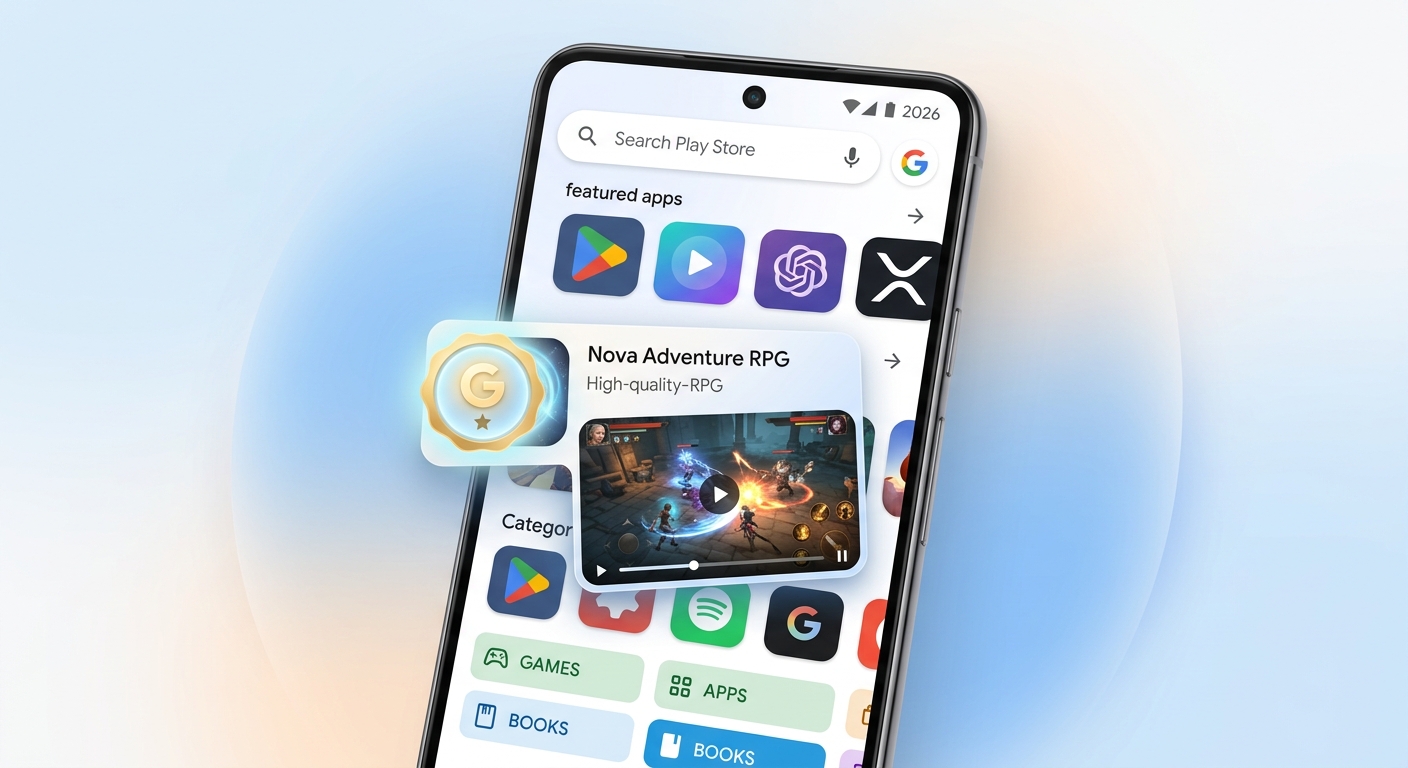
The biggest change in v52.9 is video highlights inside Ask Play. Before this update you had to search for a game go to YouTube watch gameplay footage come back to the store and then decide. That entire process is now gone. Video previews play directly inside the Play Store. You see the game in action before you install it. For mobile gaming this changes everything about how people decide what to download.

That Small Chip on Your Home Screen Is Not a Bug

A quality badge chip now appears on the Home and Search pages of your Play Store. This chip marks apps that are properly built for large screen devices like tablets and foldable phones. Google is quietly rewarding developers who optimised for bigger screens. If you own a Galaxy Z Fold or a Pixel Tablet this chip tells you instantly which apps will look great and which ones will look stretched and broken.

Inline Install Overlays Now Dismiss Themselves

When you try to install an app from inside another app and tap to view the full Play Store listing instead the overlay used to stay stuck on your screen. With v52.9 it dismisses automatically the moment you make that choice. Less friction. Faster installs. It sounds like a tiny fix but anyone who installs apps regularly will feel the difference right away.

Google Is Turning the Play Store Into a Discovery Platform

These three changes together point in one clear direction. Google is moving the Play Store away from being a pure search tool and toward a browsing first experience. The idea is that you open the store and it shows you things you did not know you needed. Video previews quality chips and smarter overlays are all part of the same plan. The Play Store in 2026 wants to work more like YouTube or TikTok where discovery happens without you typing anything.

How to Check If You Have v52.9 Already

Open your Play Store and tap your profile icon in the top right corner. Go to Manage Apps and Device and then tap the three dot menu. Select Play Store Version and check the number shown. If it says 52.9 you already have the update. If not check for updates manually or wait a few days as Google is rolling this out in stages across different regions and accounts globally.

This update went live on August 24 2026 and is already reaching Android phones worldwide. It looks small from the outside but it changes your daily phone experience in ways you will notice the moment you open the Play Store today.

💬 Reader Reviews (342)
4.6
★★★★★
342 reviews
5★
70%
4★
16%
3★
3%
2★
1%
1★
10%
T
Tomás Navarro
📍 Mexico
★★★★★
6 weeks ago
Este artículo resolvió mis dudas de forma muy clara. El sitio en general parece confiable. Volveré a consultarlo.
C
Chloe Martin
📍 Canada
★★★★☆
2 weeks ago
Nice breakdown of the topic. Would love a follow-up article going deeper. Overall a good starting point though.
A
Amara Diop
📍 Senegal
★★★★☆
6 days ago
Had been searching for this for a while. Found this page and it answered my question pretty quickly. Good job.
E
Emma Thompson
📍 UK
★★★★★
1 week ago
Good solid read. I was a bit sceptical at first but the info checked out. Will definitely come back for more articles.
G
Grace Mwangi
📍 Kenya
★★★★★
2 months ago
This answered something I've been wondering about for weeks. Simple to follow and I didn't need to go anywhere else afterwards.
A
Arjun Mehta
📍 India
★★★★☆
7 weeks ago
Decent article. I'd already read a couple of things on this topic so some of it was familiar, but still found new angles here.
A
Anna Kowalska
📍 Poland
★★★★★
3 weeks ago
Świetnie napisany artykuł. Treść jest aktualna i łatwa do przyswojenia. Polecam tę stronę znajomym.
M
Marcin Wiśniewski
📍 Poland
★★★★★
4 months ago
Treściwy i dobrze napisany artykuł. Nie traciłem czasu na szukanie gdzie indziej, bo tutaj znalazłem wszystko.
G
Giulia Romano
📍 Italy
★★★★★
7 weeks ago
Finalmente un articolo che spiega le cose per bene senza girare intorno. Molto utile, lo condividerò con i miei colleghi.
K
Kofi Boateng
📍 Ghana
★★★★☆
4 months ago
Informative and straightforward. A few parts could use a bit more depth but overall this is a solid resource.
F
Fatima Al-Rashid
📍 Saudi Arabia
★★★★★
2 weeks ago
مقال مفيد جداً. وجدت ما كنت أبحث عنه بسرعة. سأشارك الرابط مع أصدقائي.
K
Kwame Asante
📍 Ghana
★★★★☆
1 month ago
The article is clear and gets straight to the point. I've shared it with a few people already. Good resource.
H
Hana Novak
📍 Czech Republic
★★★★★
1 month ago
Výborný článek! Přesně to, co jsem potřebovala vědět. Stránka je přehledná a spolehlivá. Doporučuji!
L
Linh Tran
📍 Vietnam
★★★★☆
3 months ago
Bài viết khá hay và dễ hiểu. Tôi đã tìm kiếm thông tin này khá lâu. Cảm ơn tác giả đã chia sẻ!
K
Kenji Yamamoto
📍 Japan
★★★★★
1 week ago
情報が正確で読みやすかったです。このサイトは信頼できると思います。また利用します!

💬 Leave a Comment

Your Rating:
✅ Thank you for your comment!
F
File112 Download Manager
📦
Google Play Store v52.9 Changes How You Find Apps Forever
✅ Verified ·
Download starts in
20
Preparing your download link...
📋 Before Downloading — Must Read
PC / Laptop Recommended! This software can only be installed on Windows PC. If on Mobile, switch to PC.
1
After timer ends, a website will open automatically — you may pass through 1 or 2 websites, just follow along.
2
On that website, find the Download Link — copy it and paste it in a new tab to start downloading.
3
Once downloaded, Extract the ZIP file → Right-click → Extract All → open the folder.
4
Inside the folder, find Setup.exe or Install.exeDouble-click to run.
5
If it asks for a password → the password is usually written on the download page.
6
After installation completes → Your Software/Game is inside the folder! 🎉
⚠️ Why these extra steps?
These Software / Games are not officially released for free download. Google does not allow downloading them directly — because they are Paid Versions. So we provide them this way — to get your software / game without any issues.

These steps exist to protect everyone's privacy and security. We know it's a bit difficult — but it's the only safe way to get it for free.

Thank you for understanding! 🙏